


BuilderLogic

Private pilot · Early access open

Built by a builder. Built for the way a job actually runs.

From preconstruction to the final invoice, BuilderLogic brings your schedules, bids, documents, people, and costs together in one connected project workspace.

See a build schedule
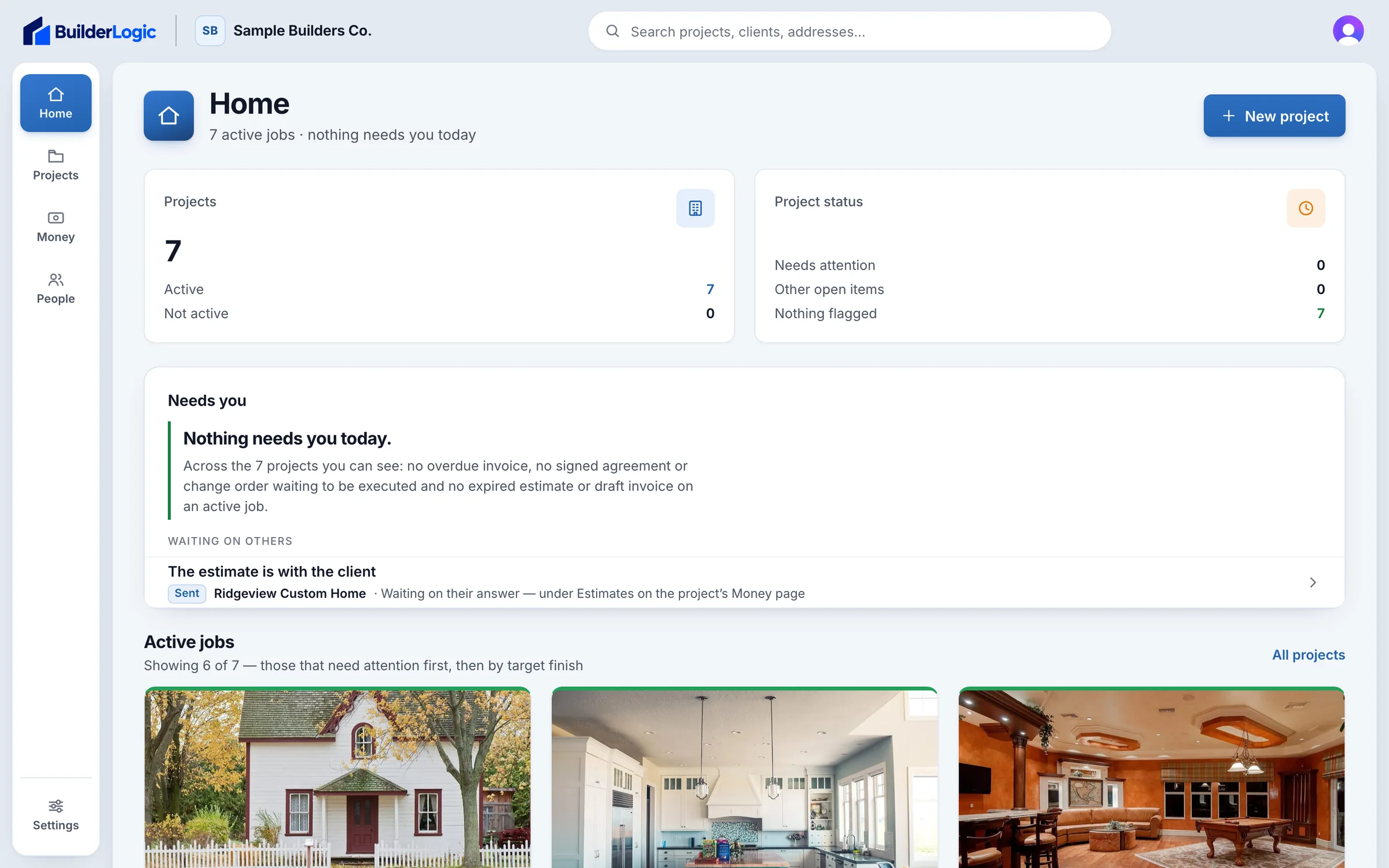
BuilderLogic Home: active jobs and the items that need attention across the company

Screens from the BuilderLogic app, shown with sample project data.

Scheduling

Every phase. One clear plan.

Plan the job, see what’s moving, and keep every phase connected—from excavation to final inspection.

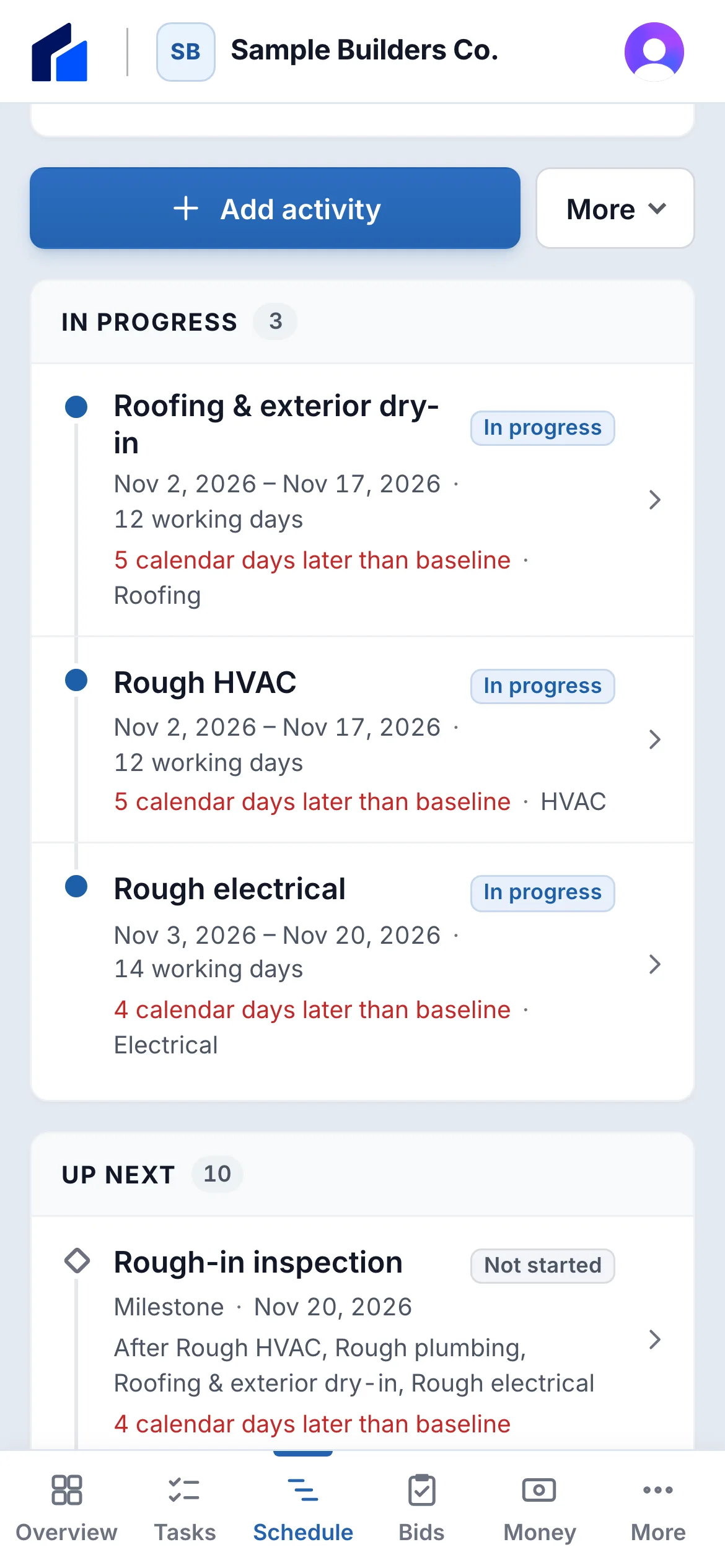
The same schedule on a phone: activities in progress and up next, with dates and baseline variance

The full timeline

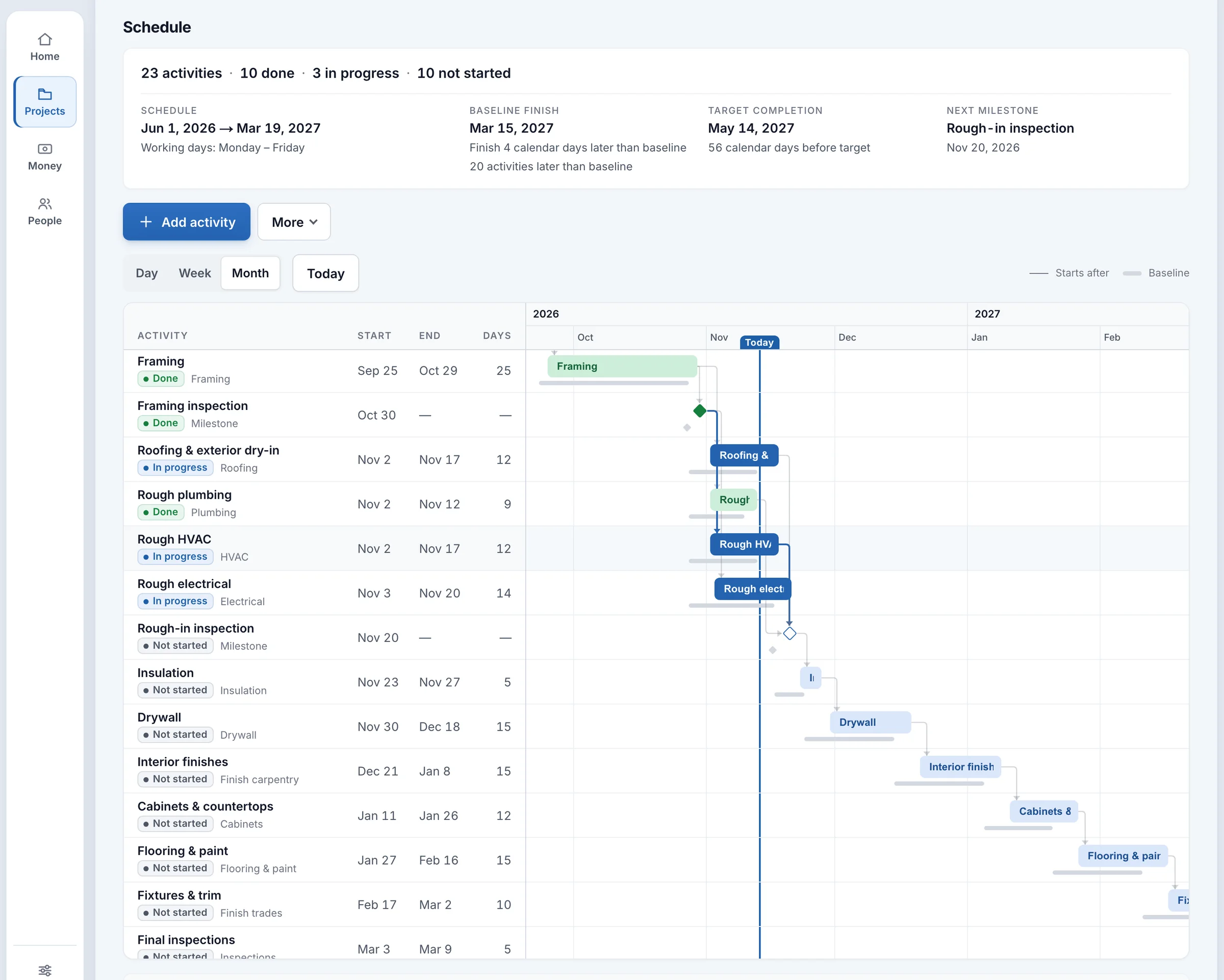
A custom-home schedule on a month timeline: framing, its inspection and rough plumbing done; roofing, HVAC and electrical in progress; inspections and finishes up next — with dependencies, milestones, baselines and today’s line
  • Milestones

    Inspections and key dates, marked on the plan.

  • Dependencies

    Finish-to-start links carry each phase into the next.

  • Baseline

    The saved plan sits under every bar, so a slip shows at once.

  • Progress

    Done, in progress and up next — against today’s line.

A real BuilderLogic schedule for a fictional sample project, Summit Ridge Custom Home.

One project record

From first walk to final invoice.

Every stage of the job lives on the same project, so the people, documents and numbers stay together all the way through.

Built in the field — developed alongside a working residential builder, in private pilot on live projects.

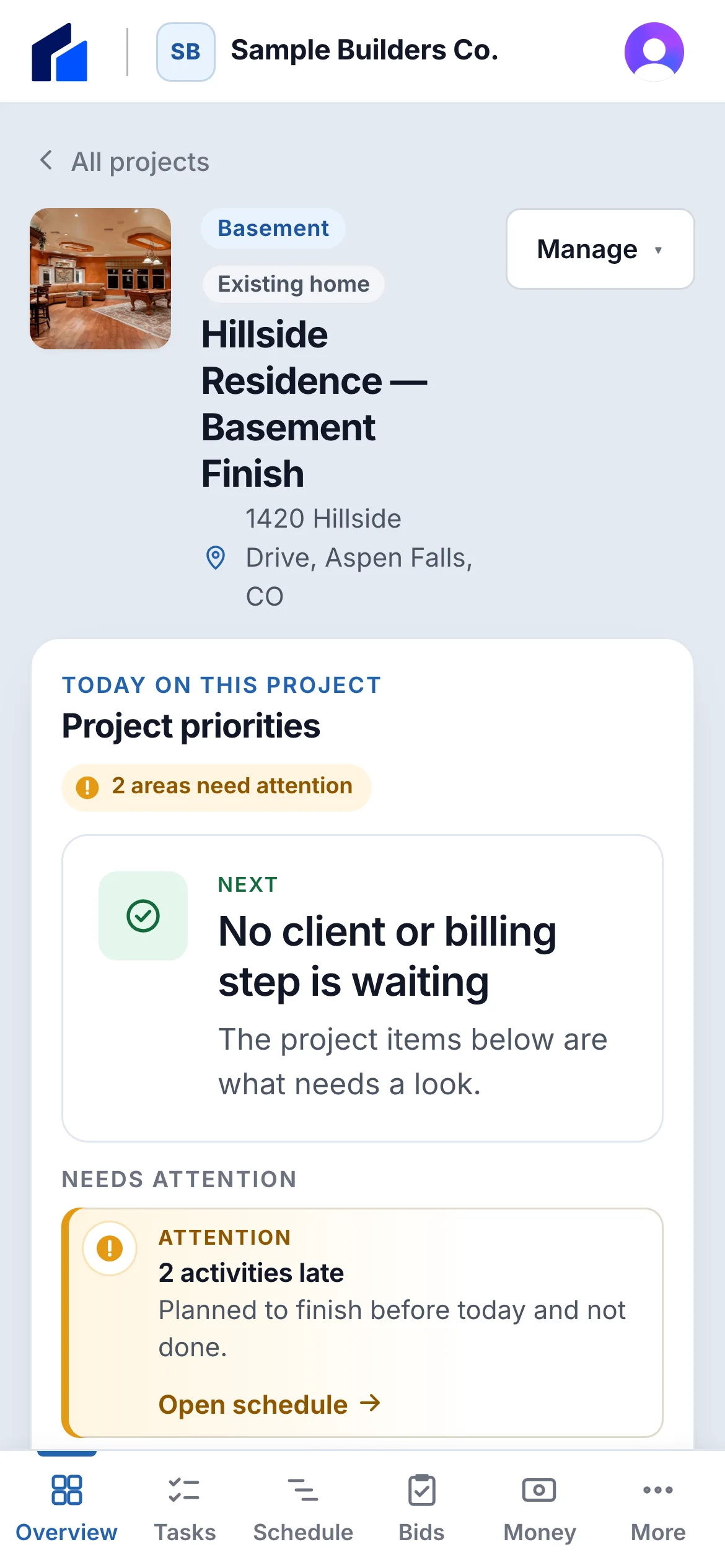
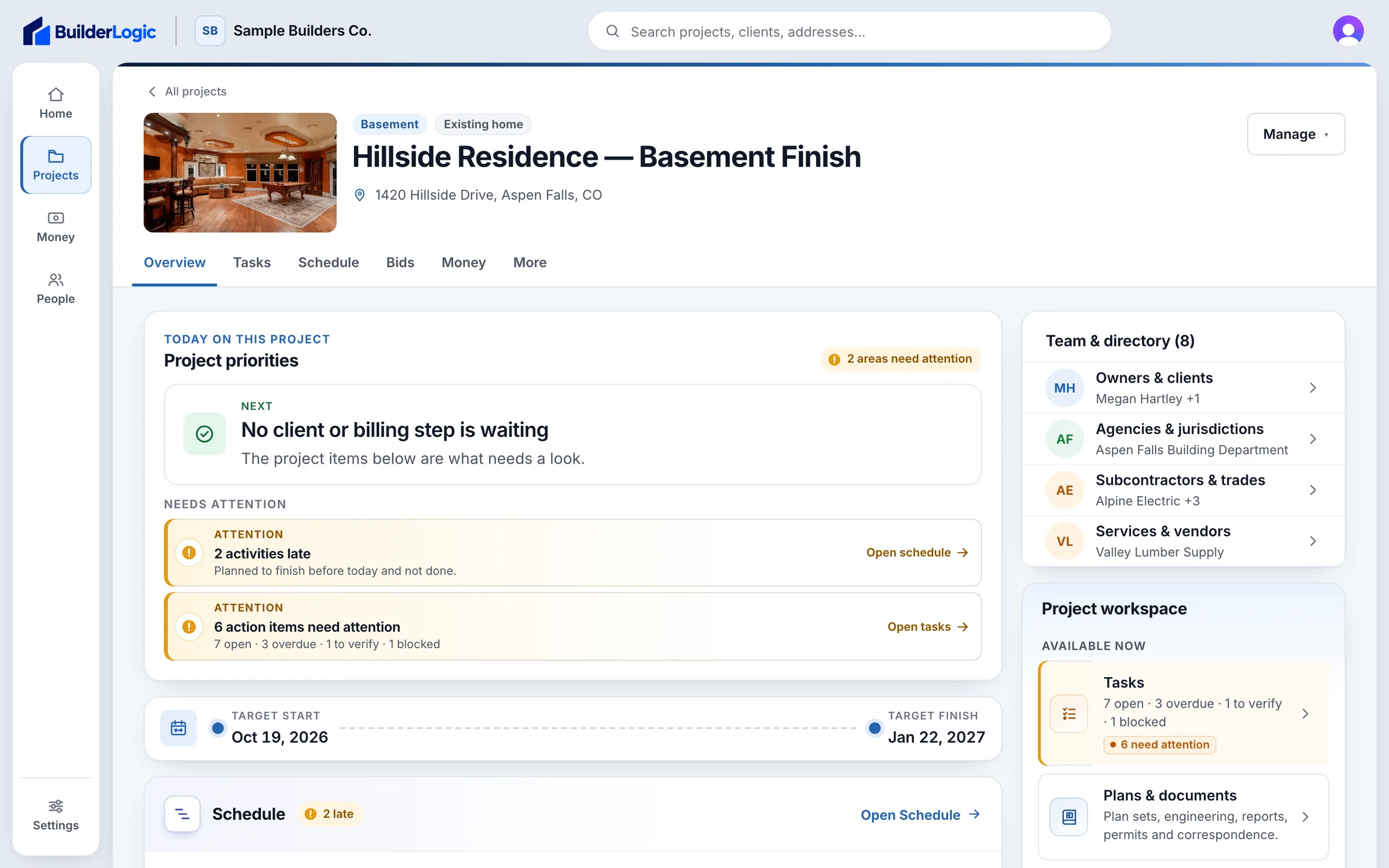
A project command center showing its stage, next action and what needs attention
A sample project, with a stock cover photo.
  1. Project

    Client, address, the people on the job and the next action.

  2. Planning

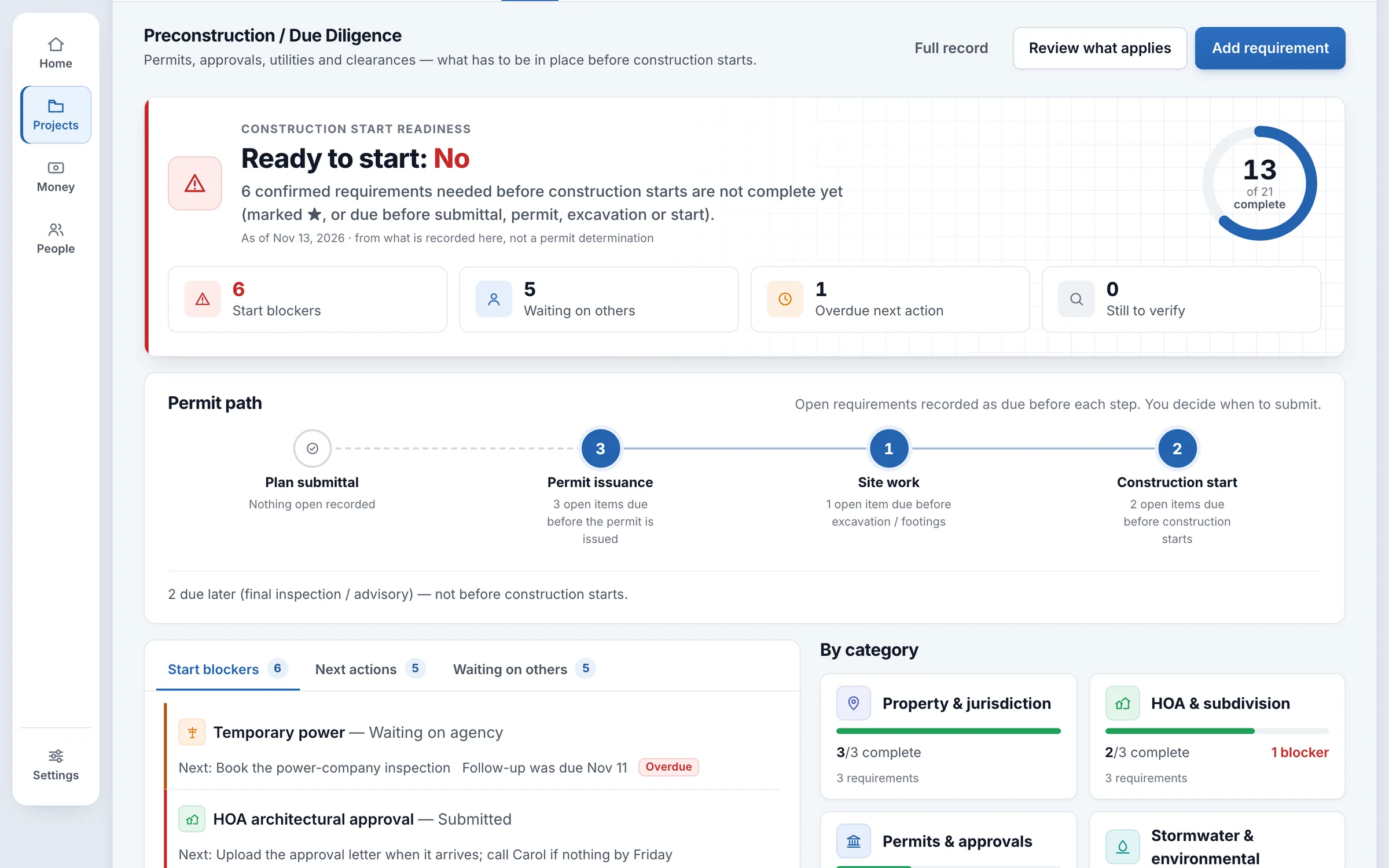
    Due diligence, the permit path and trade bids, compared side by side.

  3. Estimates & proposals

    An estimate that becomes a proposal your client reviews from a link.

  4. Contracts

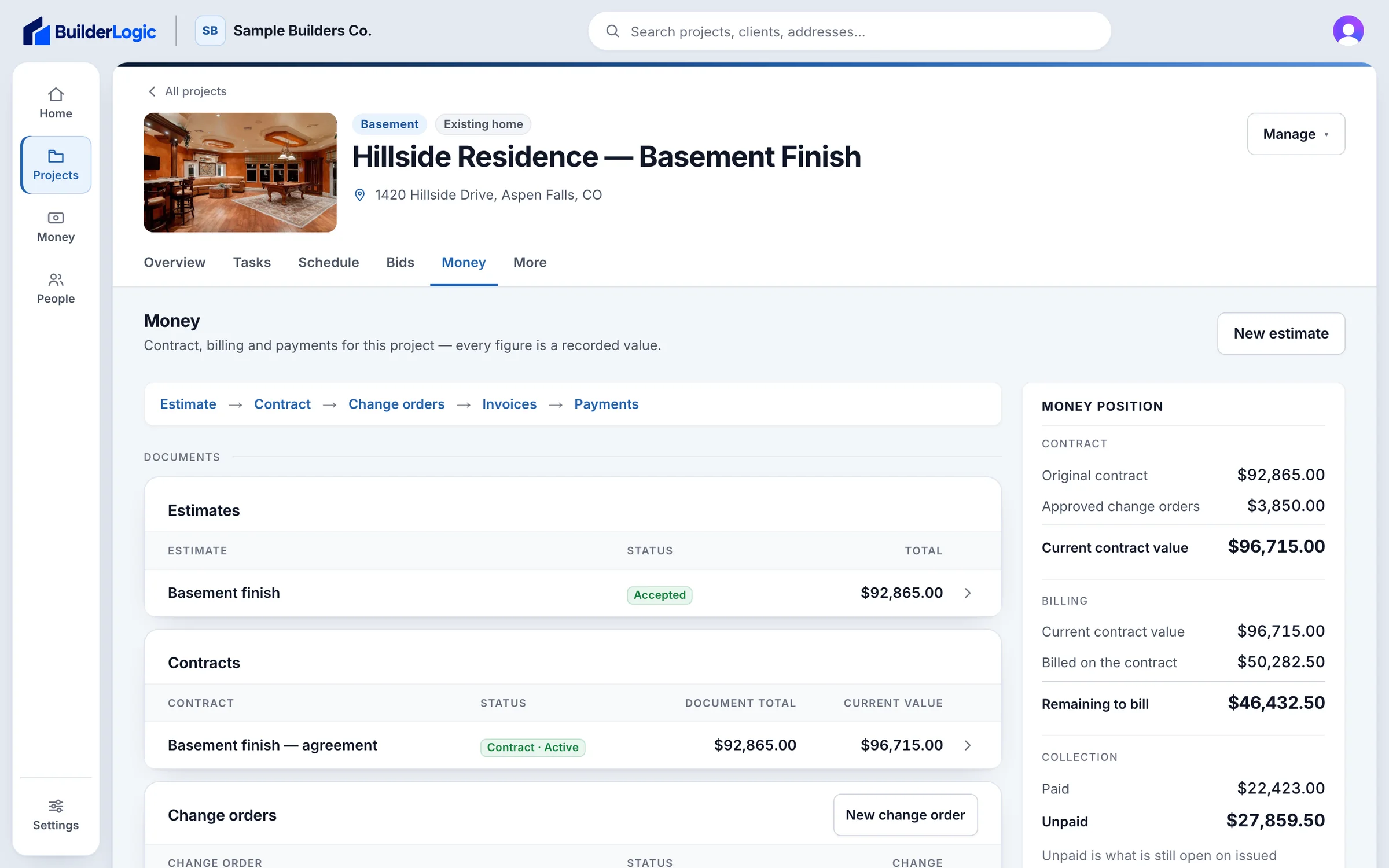
    Payment schedules, with contracts and change orders signed electronically.

  5. Schedule

    Phases, milestones and dependencies, measured against a saved baseline.

  6. Tasks

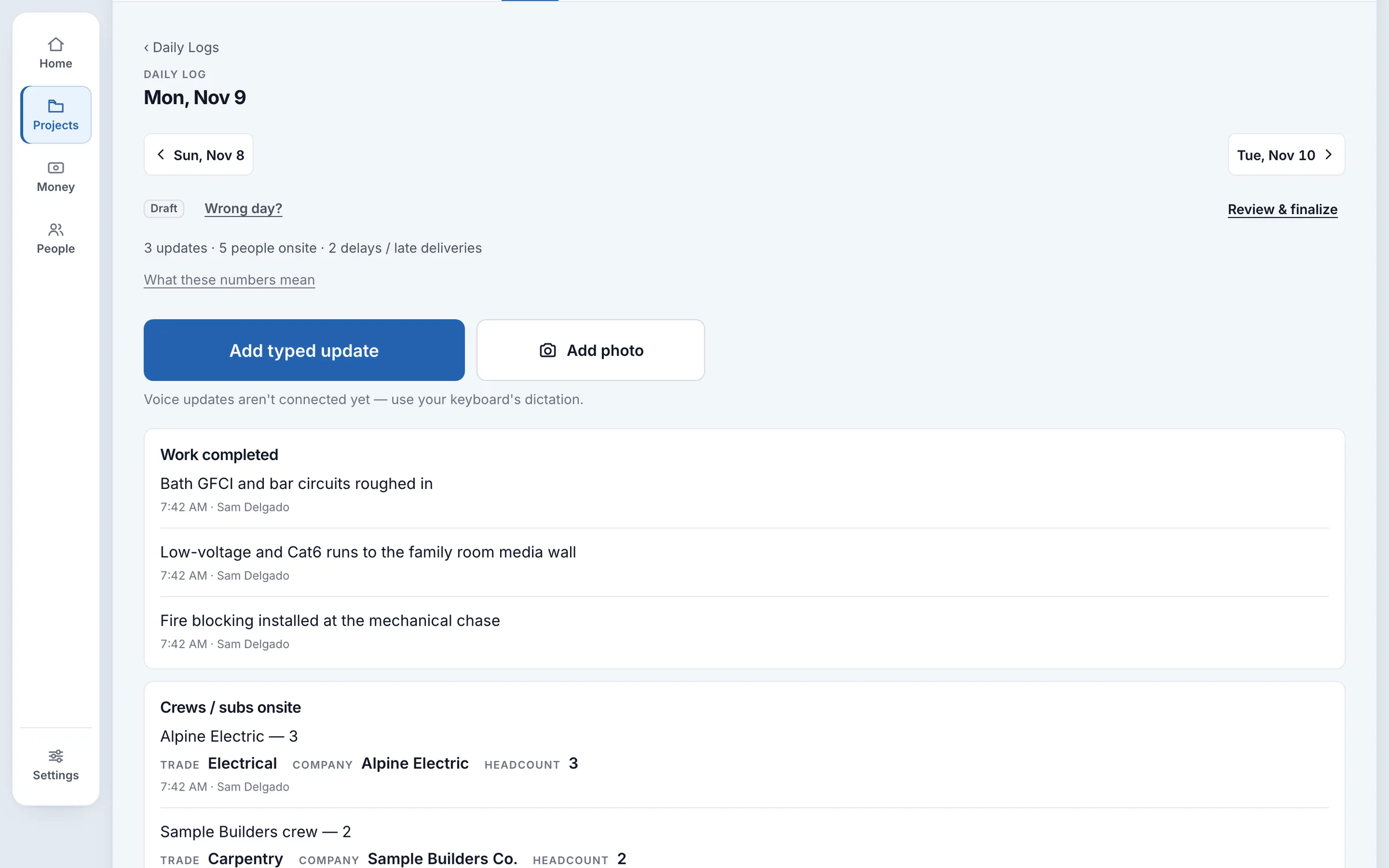
    Action items, daily logs and inspection results from the field.

  7. Documents

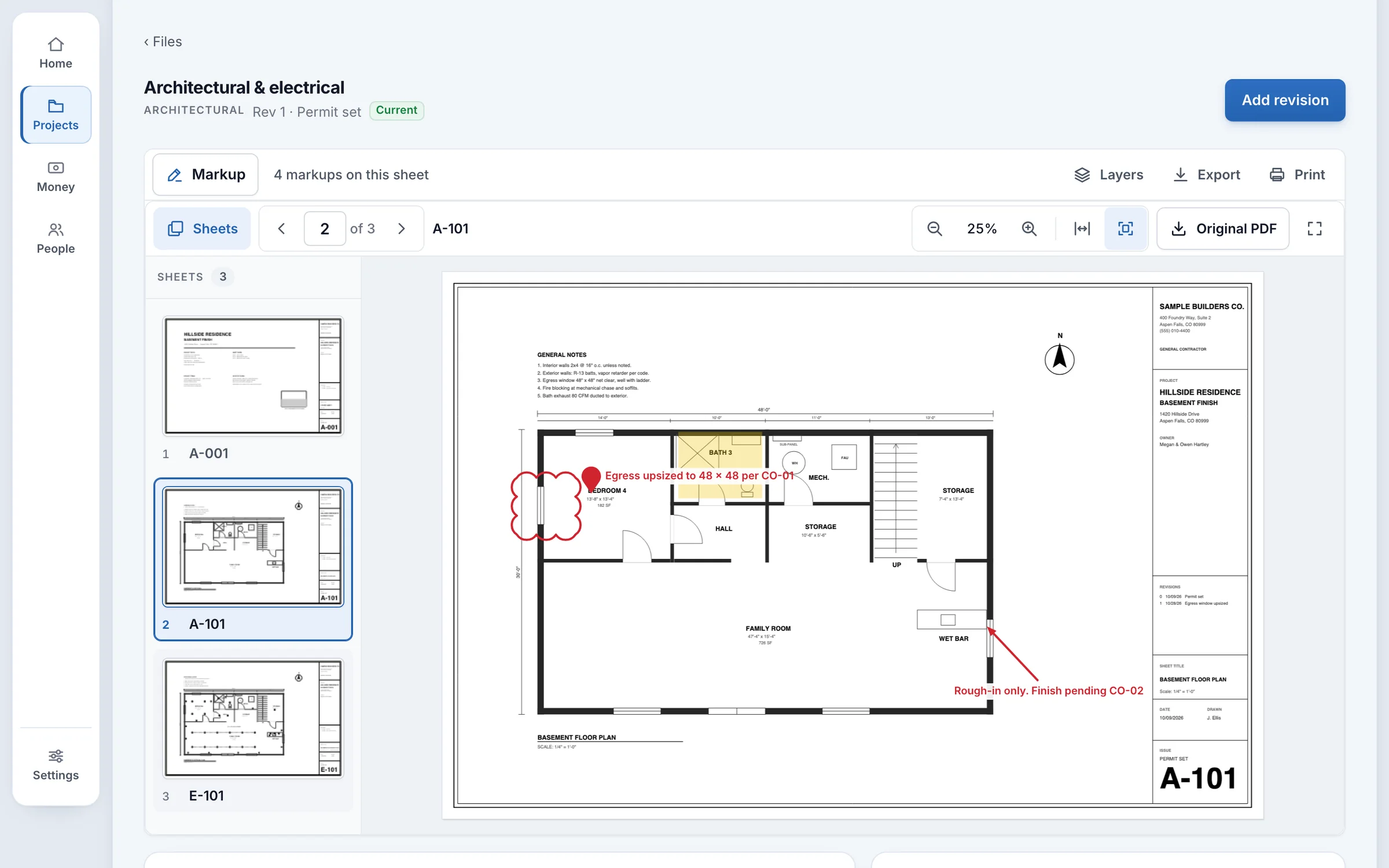
    Plan sets with revisions and redlines, next to every file and photo.

  8. Costs & financials

    Invoices, payments received and expenses with receipts.

Product tour

Built for the way a job actually runs.

Every capability

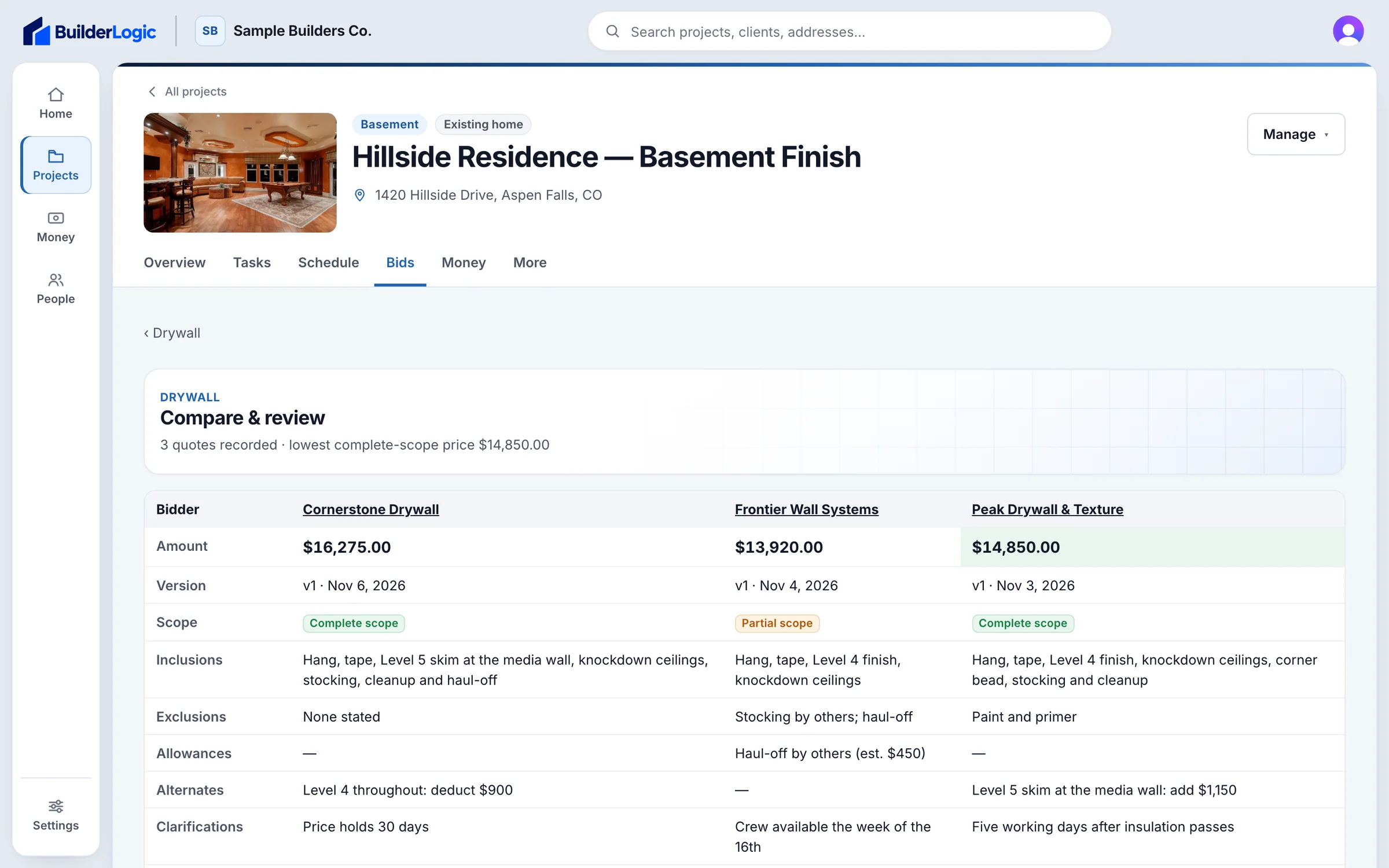
Every quote side by side — scope coverage, inclusions, exclusions and allowances.

Bid comparison: each subcontractor’s quote side by side with scope coverage

Shown with sample projects, sample data and stock photography. No customer information appears on this site.

The RKLogic product family

More ways to get the job done.

TalkWalk

Construction field walkthroughs

BuilderLogic keeps the project organized. TalkWalk helps capture what happens in the field.

  1. Walk the job

    Run jobsite walkthroughs right from your phone.

  2. Note what you see

    Field observations, with the photos that go with them.

  3. Track the follow-ups

    Turn what you found into tasks someone owns.

  4. Keep the record

    Every walkthrough organized, summarized and easy to find.

Visit talkwalk.ai (opens in a new tab)

TalkWalk works on its own. A BuilderLogic company can also connect its TalkWalk workspace.

Early access

Be one of the first builders on BuilderLogic.

BuilderLogic is in private pilot on live residential projects. We are opening it to a small group of builders — access is by invitation, and every request is reviewed.